Zdravstvujte vas interesuyut klientskie bazy dannyh?
Tuesday, February 19, 2019


Tuesday, February 12, 2019
TechSource: Dark Mode on Apple’s macOS? Linux did it First
TechSource: Dark Mode on Apple’s macOS? Linux did it First |
| Dark Mode on Apple’s macOS? Linux did it First Posted: 11 Feb 2019 07:39 PM PST Last year, Apple introduced the highly anticipated "dark mode" feature on their macOS (Mojave) desktop operating system. Many Apple fans regarded it as a cool and useful enhancement to their desktop user interface. It allowed users to turn on the system-wide dark color scheme and encouraged third-party app developers to offer a dark mode for their Mac apps. If you are thinking that Apple is the first to use this feature on the desktop, think again. As far as I can remember, Linux is the first desktop OS that lets users easily customize the UI and provided plenty of dark theme options. I think Ubuntu started the trend in using darker themes out of the box several years ago, and they did it in a more elegant way when compared to other Linux distros. Elegant in a way that the dark scheme UI was consistently used and built-in apps were using dark themes.
When customizing my Linux desktop, I always prefer dark themes since it is easy on the eyes and it looks good. Dark background also allowed me to focus more on the job at hand because there is less visual distraction. Using dark mode on my Mac desktop right now, I can't help but think about the endless customizations I did before on my favorite Linux distros to achieve that perfect dark look.
So to all the Mac users out there who also enjoyed using the dark mode on their desktop, perhaps you can thank Linux for showing the guys at Cupertino that dark mode UI is not just cool but also usable. However, correct me if I'm wrong through the comments below if you think that Linux did not have any influence whatsoever in this new macOS feature.       |


| You are subscribed to email updates from TechSource. To stop receiving these emails, you may unsubscribe now. | Email delivery powered by Google |
| Google, 1600 Amphitheatre Parkway, Mountain View, CA 94043, United States | |
Friday, February 1, 2019
TechSource: My Top 10 PlayStation 4 (PS4) Games of 2018
TechSource: My Top 10 PlayStation 4 (PS4) Games of 2018 |
| My Top 10 PlayStation 4 (PS4) Games of 2018 Posted: 01 Feb 2019 01:56 AM PST 2018 was an awesome year for PlayStation 4 (PS4) gamers. Top game developers have released several exciting titles that made us stay on our couch for much longer periods of time :-)  So let's get started. I made here a list of my favorite PS4 games last year. Do please note that my choices of games are mostly action, simulation, survival, sci-fi, fantasy, firs-person shooter (FPS) shooter, and role playing games (RPG). These games only made it through the top ten list because of their cool realistic graphics, amazing storyline, and of course their amazing gameplay. So now, here are my top ten PS4 games of 2018:
10. Kingdom Come: Deliverance Made by Warhorse Studios, Kingdom Come: Deliverance is a single player open world action role playing game set in the Medieval Kingdom of Bohemia in 1403. Although this game barely made it to the top ten, it is a very amazing game with a fantastic storyline. The story takes place during a war in Bohemia in 1403. In this game you play as Henry a common blacksmith's son who lived a very normal life until the Cuman mercenaries (the game's main enemy) attacked and destroyed his village and killed (almost) everyone he knows and loves. Luckily Henry escapes and soon joins Sir Radzig Koblya who leads a resistance movement against the Cumans. The Game has a pretty long main storyline with lots of side quests and amazing characters for you to discover. The game's combat mechanics are a little bit hard to master and its realism is a bit high because the armor can offer a lot of protection, swords and gear can break and get dirty that you need to literally search for weak spots in enemy's armor. It also gets very frustrating when your shiny plate armor gets bloody and dirty after a long journey or a fight because you have to clean it frequently. But still the gameplay is enjoyable and does not need Internet connection to be played. Ratings: Gameplay - 7/10; Graphics - 8/10; Realism - 10/10; Content - 8/10
9. Jurassic World Evolution This is a Business Simulation game created by Frontier that lets you create your own Jurassic Park. It is a very nice simulation game that takes place on the six islands based on the movie Jurassic Park. It is a very fun game because you can watch your dinosaurs roam around your park. You can take care of your dinosaurs by feeding them and giving them a perfect home with lots of buddies, or you can create your very own dinosaur arena and watch your dinos rip each other to pieces. The game also features main missions, side missions, and of course your very own sandbox, so that you can create the perfect park with unlimited cash and without your dinos attempting to break out. The only thing that is frustrating is the short dino lifespan, but of course in the sandbox mode you can let your dinos live forever perhaps even longer than you. Yet overall the game is very fun and enjoyable and it is definitely worth a try. This game does not need Internet connection to be played. Ratings: Gameplay - 7/10; Graphics - 10/10; Realism - 9/10; Content - 8/10
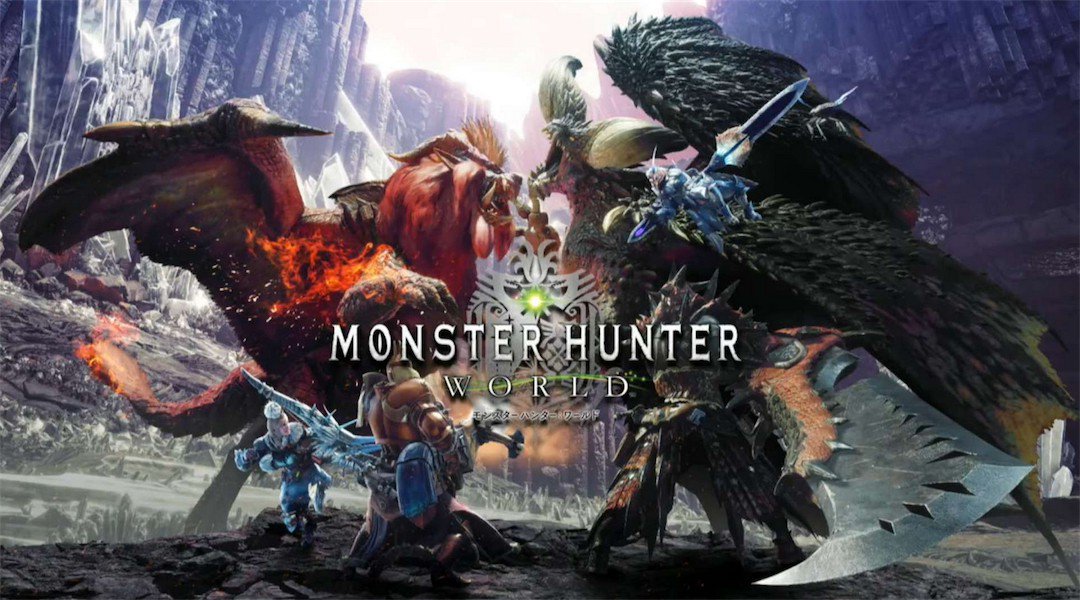
8. Monster Hunter World Developer by Capcom, this game is the newest installment in the Monster Hunter series. In this game you can create your own custom character and you are tasked to track down, kill, or capture any monster you see. The plot of the main story of the game is that you are one of the hunters of the new world. You are sent to hunt and capture monsters for your colony. Although some of the old monsters are returning to the game, there are a lot of new monsters, some even bigger and scarier than the old ones. The game also features a lot of new weapons for your hunter such as swords, spears, bows, and even guns, along with a lot of very customizable armor pieces so that you can kill monsters in style. Overall, the gameplay is amazing and is worth it. You can play this alone or with friends, and does not need Internet connection to be played. Ratings: Gameplay - 9/10; Graphics - 9/10; Realism - 8/10; Content 9/10
7. Far Cry 5 Created by Ubisoft, Far Cry 5 is an open world FPS game that sets place in Hope County. The main story lets you start as a deputy trying to stop a cult from taking over hope county. After failed attempt, you are saved by freedom fighters and you join them in the fight against the cult. In Far Cry 5 you can create your own character and equip him or her with various weapons, vehicles, and customizations, and you can also hire guns for hire in the fight against the cult. It also features a map creator so you can create your own levels and play with your friends. You can play Far Cry 5 in singleplayer or multiplayer mode and does not need Internet connection to start. This game is very enjoyable and is worth it, but I feel that the main story goes a bit too fast. And although this game is single player and does not need Internet connection to play, there are always lots of online challenges if the player ever wants more. Ratings: Gameplay - 9/10; Graphics - 9/10; Realism - 9/10; Content - 8/10
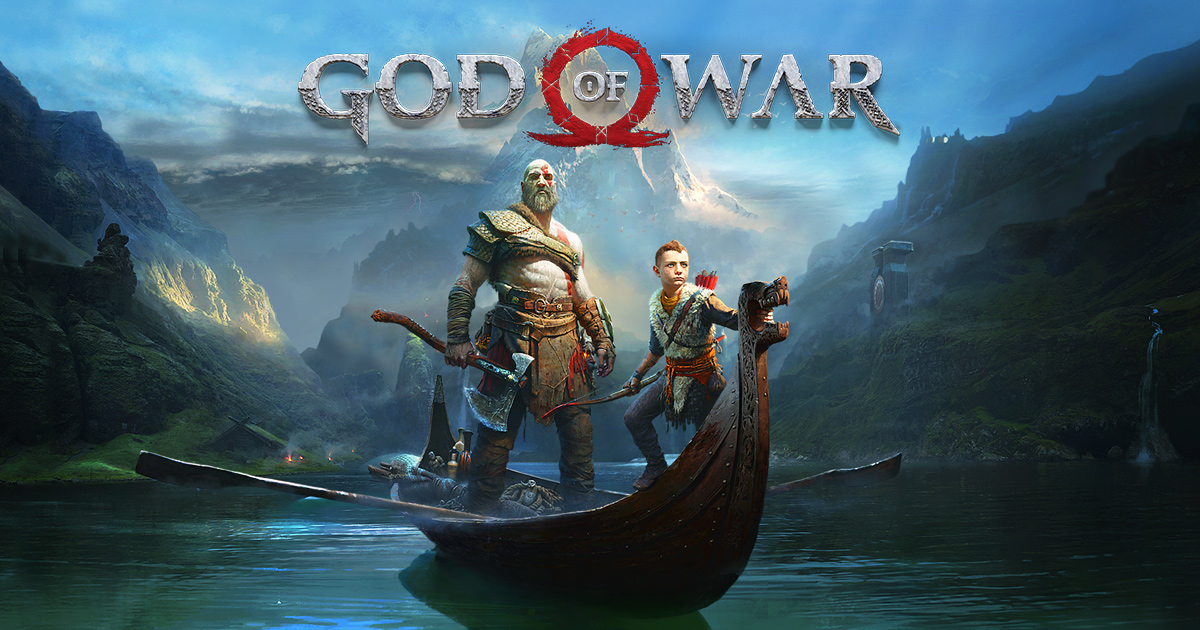
6. God of War (2018) God of War is an action adventure game that is developed by Santa Monica Studios. The latest game is the eighth installment of the God of War series, and it continues the story of Kratos years after he killed his father Zeus and destroyed all of the Greek World. In God of War you play as Kratos who is now in Norse Mythology, and his son Atreus. In the main story Kratos and Atreus will journey throughout the nine realms to fulfill their promise to Kratos' second wife and Atreus' mother to spread her ashes in the highest peak in the nine realms. The latest God of War is very nice and very touching, and most of the characters are very fun to interact with. The game features lots of enemies, jaw-dropping boss fights, and plenty of enjoyable characters. The graphics of this game is really cool and realistic and the monsters look awesome so it is all worth a try. God of War is a single-player game and does not need Internet connection to play. Ratings: Gameplay - 8/10; Graphics - 10/10; Realism - 9/10; Content - 9/10
5. Soulcalibur VI Soulcaliber VI is a Fighting Game Produced by Bandai Namco Entertainment. In this game you can play with more than 20 existing characters to choose from or you can create your own custom characters. It also features a lot of cool weapons for your custom character and a lot of other customization options. Soulcaliber VI is a very fun fighting game that features 2 campaign modes, soul story (the original story mode), and Libra of Souls (the story of your own custom character). The game's fighting is very detailed and is totally worth it because your armor can break, you can roll if you are knocked down, and you can push your enemy off a cliff for an instant kill. The character's fighting style is also very detailed because each weapon has its own moves, special skills, and fighting style. Overall, the game's graphics is good although some capes clip with the armor and the story mode isn't really the best, but it's the fighting that made Soulcaliber VI awesome and it is totally worth it. Although this game is single player and does not need Internet connection to start, you can also play this split screen in online multiplayer mode. Ratings: Gameplay - 10/10; Graphics - 8/10; Realism - 9/10; Content - 9/10
4. Spider-Man Created by Insomniac Games, Spider-Man is an awesome game based on the super hero Spider-Man. In this game you play as Peter Parker, or should I say Spider Man who spends his time swinging all over New York stopping crime wherever he goes. This game also features most of Spider-Man's enemies such as Kingpin, Shocker, Doctor Octopus and more. The game also lets you craft a whole lot of cool gadgets and high tech suits to help you bring those bad guys down. It even has the Avengers Infinity War Iron Spider suit, Spider-Man Homecoming suit, and the Homecoming Stark suit. In this game you will not only take down common street criminals but super powered minions as well. These super powered minions can either have dark demonic powers, high tech jet packs, rock hard skin, and more making the game very enjoyable than ever. You will also face many challenges, find cool collectables, and even visit the Avengers Tower. The game also has one of the best main stories. You will want you to keep playing until the very end because it is so cool and detailed. You will even meet a lot of interesting characters along the way. The game also has side missions, challenges, and a whole lot of landmarks. Overall, Spider-Man is an awesome game and is definitely worth it. The game is single player and does not need Internet connection. Ratings: Gameplay - 10/10; Graphics -10/10; Realism - 8/10; Content - 9/10
3. Assassin's Creed Odyssey This game is an open world action RPG game created by Ubisoft and is without doubt one of the best in the list. In this game you play as either Alexios or Kassandra and the story takes place in Greece during the Peloponnesian War, a war between Sparta and Athens. In the game, no matter what character you choose you start off as a common mercenary that wields the blade of Leonidas (who is your grandfather) the former king of Sparta and has a pet eagle named Icarus who looks out for enemies and helps you hunt for materials. Your main weapon is the blade of Leonidas that serves as your hidden weapon in the game (sadly there are no other hidden blades in the game) and gives you incredible powers such as bull rush, hero strike, and the good old Sparta kick. In Assassin's Creed Odyssey you are on the hunt for the people who destroyed your family, which is the cult of Kosmos (the main enemy) while trying to get your family together again. The game has a nice main story and has a lot of interesting side quests all over Greece. It also offers your character a lot of weapons such as axe, swords, daggers, hammers, bows (but sadly no shield), and a lot of armor for your characters protection and style. It even has a few mounts to buy and unlock. In this game you also have your own boat where you can customize your crew members and add special lieutenants to improve ship power. Overall, the game is really good and is worth a try. Ratings: Gameplay -10/10; Graphics - 8/10; Realism - 9/10; Content - 10/10
2. Just Cause 4 Just Cause 4 is an open world action game created by Avalanche Studios and Square Enix. In my opinion, this game is probably one of the best games of 2018. In it you play as the badass former secret agent, Rico Rodriguez who (after killing Di Ravello and avenging his family) went to the fictional South American country known as Solis to search for his father's secrets, only to find that his father left a weather machine capable of unlimited destruction. This game, like all other Just Cause games, features a lot of guns, vehicles, and a lot of destruction. It also offers a whole lot of tech, explosion, and awesomeness. Like for example you can have a gun that shoots drones and lasers or a boat that can make the enemy base rain with lighting. Just Cause 4 also lets you create an army of chaos that you can use to help yourself in the fight against the Black Hand, which are the game's main enemies. Overall, the game is magnificent and is really worth a try. Ratings: Gameplay -10/10; Graphics - 9/10; Realism - 9/10; Content - 10/10
1. Red Dead Redemption 2 Red Dead Redemption 2 is my top favorite game of 2018 and it may be the best game I played since 2016. It was developed by Rockstar Studios and for me it is just perfect, a flawed masterpiece. I could play this game for a month and could not still get enough of it. In Red Dead Redemption 2 you play as Arthur Morgan, an outlaw in 1899 America who just escaped a place called Blackwater with his fellow gang members after a failed heist, and has a mission to make his gang rich again (after losing all their money in Blackwater) and to ensure that he and his gang survives with the law chasing them. In terms of graphics, this game is just amazing and the realism is excellent that guns look like the real thing. The game also has some realistic survival elements because your character can get sick, hungry, tired, dirty, and even your hair can grow in this game which is so cool. You can also hunt 100 plus animals in the game for food. The NPCs of this game also feels so alive and breathing you almost don't want to kill them. In addition, the environment details of the game are very realistic like the snow, the dirt, even the water. In Red Dead Redemption 2, horse riding is probably the best means of transportation and the horses are very detailed that their sizes, speed, and faces differ. The horses are your most valuable companions and they can even kill some enemies if you are lucky. This game also offers your character a lot of outfits and guns to use, and you can even go bounty hunting or go rob a train if your money is low. In the game, you also have a special ability called deadeye that allows you to slow down the time and then you shoot the life out of multiple enemies like a pro. Overall, Red Dead Redemption 2 is so close to perfection that it is my top pick for 2018. Please note that even if the game is single player and does not require Internet connection to play, there is always an online mode if you want to play with friends. Ratings: Gameplay - 10/10; Graphics -10/10; Realism - 10/10; Content - 10/10 Written by: Marco Auza. TechSource in-house game reviewer.    |





| You are subscribed to email updates from TechSource. To stop receiving these emails, you may unsubscribe now. | Email delivery powered by Google |
| Google, 1600 Amphitheatre Parkway, Mountain View, CA 94043, United States | |
Monday, January 28, 2019
Greeting From Mr.Srey Heng.
Good Day,
I am Mr.Srey Heng,I have an interesting business proposal that will yield something good to both of as at the end as long as you can handle the project from your side.If you are interested to partner with me you reply back for more details.
Best Regards,
Mr.Srey Heng.
Wednesday, January 23, 2019
TechSource: The Essential Smartwatch: From Motorola MOTOACTV to Apple Watch
TechSource: The Essential Smartwatch: From Motorola MOTOACTV to Apple Watch |
| The Essential Smartwatch: From Motorola MOTOACTV to Apple Watch Posted: 23 Jan 2019 01:22 AM PST Although I am not a watch enthusiast, I have a soft spot for smartwatches. They have tons of features that ordinary wristwatches don't have and as a techie, I think they look way cooler than your average watch. Since 2011, I realized I have not been using my conventional wristwatches that they are already gathering dust in my closet. The reason? I bought my first smartwatch that year - the Motorola MOTOACTV.  For $300, I got a brand new Motorola MOTOACTV and wearing it felt like having the most awesome watch in the world. At that time, smartwatches are not yet popular but I enjoyed using it because it has features that I thought was ahead of its time. Powered by Android, it features built-in fitness apps, accelerometer, Bluetooth, music player, FM tuner, capacitive multitouch LCD display, ANT+ for connectivity to fitness sensors (eg. heart rate sensor) and has the capability to connect to smartphones to display calls and text messages.
Although I love the MOTOACTV, it was far from perfect. In terms of design, it looks bulky and there was really no room for customization. As for the software, it was stable at first but was later on plagued with buggy updates. It was also not as durable as I thought it would be since it was made by Motorola. It took just one waist-high drop that shattered the LCD display of my MOTOACTV, and so I was quickly in search for my next smartwatch. For around $100, I got the very first version of Pebble. Considered at that time as the most funded project in Kickstarter history, I never regret purchasing that smartwatch. The original Pebble had some of the features that I want such as Android and iOS app support, notifications (calls, texts, emails), water resistance, "always on" display, 7-day battery life, and array of sensors (magnetometer, accelerometer, ambient light). One of the best things about the Pebble was its app store that contains tons of free downloadable applications and watch faces. In terms of design, the Pebble looks plain and simple but you can customize it by replacing the 22mm wrist strap or using some skins to cover the bezel.
The Pebble was definitely better than the MOTOACTV but it also had some crucial issues. I've been using it for around 3 years and had experienced several buggy software updates that became really annoying. The most recurring issue I've encountered was constantly losing connection to my phone hence the notifications feature was a hit or miss. In addition, the first version of Pebble had no built-in GPS and heart sensor, which for me was a major caveat since I'm a fitness buff. Lastly, although it can control the music from a connected smartphone, it didn't have a stand-alone music player like the MOTOACTV. Using it on a daily basis, my Pebble looks good as new even until today so there is no question about its durability. I just got tired of the look and its limitations so I decided to hunt for my next smartwatch. In September 2016, Apple released the Series 2 version of their smartwatch. Aimed at enhancing the iPhone experience, I considered the Apple Watch way better than the MOTOACTV and two steps ahead of the original Pebble. For around $400, I bought the Series 2 (aluminum, space grey, Nike+) in January 2017 and I've been using it almost every single day since then.
The first thing I liked about the Apple Watch is its sleek and highly customizable design. I bought a few cases for protection and plenty of bands (wrist straps) for styling and comfort. After constant usage, I begin to appreciate the Apple Watch for its stable hardware and software integration. Connecting to my iPhone is a breeze and it runs flawlessly that I didn't have to worry about not receiving important notifications. I think this is the main reason why I'm still using this smartwatch. Here is a list of features that I love about the Apple Watch (Series 2): * Awesome display (OLED Retina display with Force Touch) * Customizable watch faces * Built-in sensors (optical heart, accelerometer, gyroscope, ambient light) * Built-in GPS * Water resistant up to 50 meters * Built-in fitness and wellness apps * Activity tracker (motivates me to exercise or stay active) * Supports third-party apps * Bluetooth and Wi-Fi connectivity * Built-in music player * Easily removable bands and plenty of cheap bands available * Simple but good-looking design * Durable screen and body Some of the features that I wish Apple Watch should have: * Longer battery life * Always on display * Third-party watch faces Although the Apple Watch Series 4 has been released in 2018, I didn't find it necessary to upgrade as my Series 2 still serves its purpose well, and looking at the features of the latest Apple Watch, it didn't tick any of the wish list I wrote above. My Apple Watch is my constant and reliable companion. I regularly use the Breathe app when meditating, the built-in fitness app when swimming, running, cycling, weight lifting, or doing yoga, and the stand-alone music app when playing music on my AirPods. I also heavily rely on its notifications feature for calls and SMS. The Apple Watch can do all those things while looking sleek and of course showing me what time it is. These days, there are still a lot of people who are using traditional watches compared to those who are using smartwatches. I think this is mainly because ordinary watches are more convenient to use for non-techies, as they are easy to set up and don't have to be charged all the time. As for me, I will probably stick to wearing smartwatches until my heart rate per minute goes zero.    |


| You are subscribed to email updates from TechSource. To stop receiving these emails, you may unsubscribe now. | Email delivery powered by Google |
| Google, 1600 Amphitheatre Parkway, Mountain View, CA 94043, United States | |
Thursday, January 17, 2019
TechSource: Hello (Again) World!
TechSource: Hello (Again) World! |
| Posted: 17 Jan 2019 09:27 AM PST Hello (again) world! After 10 years of posting here, I left without saying goodbye. Now that I'm finally back, allow me to say sorry to my loyal readers. Is it too late now to say sorry? :-) I hope not. Now, why did I take very long break? To keep it short, here are the two main reasons why I stopped:  * I finally got burned out of thinking about topics to write, writing, proofreading, editing, and posting. * The other reason is that I got into iOS app development that took most of my free time. I lost focus, and so I started my disappearing act from the World Wide Web. Some of you may wonder why I came back after all these years. Well, I just missed writing. I'm now more excited than ever to share with you again all the tech-related stuff that I find interesting. Although I am still quite busy with mobile app development and physical (offline) business, I have more hunger and freedom now to write so I think this is going to be fun. So where do we go from here? Before I decided to make a comeback, I've been thinking about ways to revive the site. Like, should I change the design of the site first? -Which I did. As some of you may notice, the site now has a new design. It is now more mobile friendly than ever and more responsive. I hope you all like it, and please bear with me if you encounter some problems as we are still making a few adjustments and site enhancements. I have also been thinking about changing the main topic or the future content of the site. Since the beginning, I have been posting mostly about Linux and other open-source software. When I took a break and have been developing apps for iOS, I obviously have been relying on my Mac as my main computer and OS X operating system. So I have to be honest with you that I have not been using Linux for a long time now and have lost track on what's happening in the world of free and open-source software. Some of you Linux fans out there might be disappointed but I hope you'll understand. As some of you may know, I also love Apple products simply because of their excellent hardware design and software reliability. In fact, I posted here before that I run Linux on my Macbook Pro. Moving forward, I'm still going to post tech-related stuff but I will not just focus on a particular niche. That way, I will have more freedom to share with you what I know or experienced. I just hope that the things that I will be writing about will somehow be useful to you because that has always been the main reason why I started this site. For those of you who stick around and for those who are planning to follow this site no matter what, thank you and see you soon!    |
| You are subscribed to email updates from TechSource. To stop receiving these emails, you may unsubscribe now. | Email delivery powered by Google |
| Google, 1600 Amphitheatre Parkway, Mountain View, CA 94043, United States | |
Wednesday, January 16, 2019
TechSource: Best Bitcoin Applications for Linux
TechSource: Best Bitcoin Applications for Linux |
| Best Bitcoin Applications for Linux Posted: 27 Nov 2015 07:51 PM PST Bitcoin is, if many industry experts are to be believed, the future of currency. Everyone from expert coders to entrepreneurs is banking on it thus making it one of the hottest topics. We already discussed a lot about bitcoins in our earlier article and we believe that it does have a potential to cause a huge disruption in the market. For our FOSS supporters out there, bitcoin means a great deal. The reason for this is that this digital currency is entirely open-source. Which means, if Bitcoin ever reaches public adoption, it will be the most popular use of open-source technology.  If you are a Linux user, managing your bitcoins and even mining them is a piece of cake. The penguinian platform offers some great tools for bitcoins enthusiasts to manage their digital currency. CGMiner CGMiner is a multi-thread multi-pool miner for bitcoins. It works from the command line and can help you mine bitcoins in a way that makes maximum usage of your resources. The commands are pretty simple and straightforward thus making it easy even for non programmers (with a little bit of help, of course) to get started with bitcoins. What makes CGMiner popular is the fact that it gives you complete control over the mining process. If you are new to Bitcoins and want to get started with mining, a fantastic guide that teaches you how to mine Bitcoins on a Xubuntu desktop with CGMiner can be found HERE.  Bitcoin QT Bitcoin QT is the official Bitcoin app that provides you with the ability to manage your coins. It has a simple interface that works across most Linux distributions and makes it easy for you to handle all your bitcoin transactions from one place. Though there are better Bitcoin applications out there, this one may be a preferred choice if you are looking for something more official.  MultiBit MultiBit is a free application that serves as a wallet for your Bitcoins. Open-source and easy to install, MultiBit works across all major platforms. Once installed, it lets you manage your Bitcoin transactions from one single place. The application is very lightweight and quick to install. It even stores your data in files of really small size, thus making it easy to work with on computers that have low resources. This also means that you can backup your data onto a pen drive or even your smartphone's SD card and not have to worry about computer crashes. MultiBit is fast and keeps all your private keys encrypted on your machine. Overall, it is a great lightweight application for Bitcoiners.  BitMinter If you are someone who wants to make money mining Bitcoins, BitMinter is a mining pool that allows you to do just that. The aim of this mining pool is to make mining accessible to everyone so that they too could be a part of this open-source phenomenon. Of course, mining coins using a regular computer is not really profitable. It will not only tax your resources but will also send you a huge electricity bill. However, if you have a powerful graphics card, you can surely use it to mine coins as much as you want. And, for that, you'll need to install the BitMinter application. Built on Java, BitMinter works across all major platforms out there.  Electrum Bitcoin Wallet Electron is a Bitcoin wallet that lets you store your coins in a safe place. One of the striking features about this app is its simple user interface. Working perfectly well across all major platforms, Electrum stores your data in a secret phrase so that even if your computer gets stolen, only you would have access to your stuff. Also, apart from security, Electrum also offers a lot of convenience for users who like to travel. It does so by letting you use your wallet offline. If you are an Android user, Electrum will also work on your smartphone.     |
| 7 Nifty VLC Tricks You Should Know Posted: 19 Nov 2015 04:47 AM PST VLC started as an academic project in 1996 and back then it was called "VideoLAN Client", and hence the name VLC. Soon, however, it grew to become a client as well as server that can be used to stream videos across the network. Its popularity showed steady growth leading up to the development of Version 1.0 that was released in 2009. In other words, the project took 13 years of development to reach its first major release, something that shows us how stable the open-source tool has indeed become.  Be it Windows, Mac OS X, or Linux, VLC still remains the undisputed king of media players. From playing YouTube videos and MP3s to helping you enjoy Blu-ray movies, this open-source tool is regarded as one of the indispensable tools every desktop user should have installed. If you are using Linux right now, chances are you are a VLC user too. And if you are, we've got some useful tips for you that will help you get the most out of it. 1. Taking Screenshots of the Currently Playing Video Whenever you are playing a video, you can grab a quick screencap without even pausing. All you have to do is press the combination Shift + S and your screenshot will automatically show up in the Pictures folder. If, however, you are using Mac OS X, use the shortcut Cmd + Alt + S and the snapshot will be waiting for you in the Pictures folder. 2. Bookmark a Position in a Video Imagine you are busy watching your favorite movie and suddenly your smartphone rings. It is a bummer right? Start the video again and then seeking to the last position you were on. Thankfully, VLC saves you the trouble by letting you bookmark a position in the video so that you can come back to it whenever you want. All you have to do is go to the menubar and then Playback -> Custom Bookmarks -> Manage. A new window will pop up. Here, simply click on the button that says "Create" and you will have the bookmark at your disposal whenever you want. Note that you can also use this for listening to audiobooks as well where bookmarking plays an important role. 3. Record the Currently Playing Video/Audio If you listen to streaming audio or watch a lot of online videos natively, this next tip will help you keep the best bits to yourself. By recording a currently playing song or video, you can re-listen to it whenever you want. To start recording, simply go to the menu bar and navigate to View -> Advanced Controls. Once you do that, a small red button will show up below the video or audio. Click on it and the stream will be saved to your default Videos or Music folder. 4. Record from a Webcam If you are a wannabe rising YouTube star, this tip might help you a lot. VLC, apart from playing your favorite movies, also lets you do a recording from the webcam. Simply go to Media -> Open Capture Device. There, you'll find a dropdown menu. There, select DirectShow to select your webcam. Once that is done, start recording by hitting the red button. The video will be stored in the default videos folder. 5. Play Video Files in .zip and .rar Archives The next time someone hands you a bunch of video files packed in a .rar archive, simply open it in VLC and it will play. VLC reads through the archive letting you play the video files contained in it. 6. Watch a YouTube Video Without a Browser Instead of watching a YouTube video in a distraction-ridden webpage, you can use VLC to watch it on your desktop. Simply click on the menu bar -> Media and click Open Network Stream. There, paste the URL of your favorite video and it will start playing automatically. Alternatively, you can press Ctrl + N anytime and paste the video directly. 7. VLC Does Podcasts Too VLC can do a lot more than playing videos and music. It also acts as a full-fledged podcast downloader and player. Open VLC and if the playlist view isn't showing up yet, press Ctrl + L or hit the playlist button at the bottom. In the left pane under Internet, you'll find an option that says Podcasts. Hit the grey button besides it and paste your favorite podcast URL.    |
| You are subscribed to email updates from TechSource. To stop receiving these emails, you may unsubscribe now. | Email delivery powered by Google |
| Google, 1600 Amphitheatre Parkway, Mountain View, CA 94043, United States | |
Subscribe to:
Posts (Atom)

 Posts
Posts

